Posts

Showing posts with the label ford diagnostic tool

How to get VCM2 to work ok with Ford IDS & JLR SDD

Image
How to get Ford IDS & JLR SDD work perfectly in/with one  VCM2 clone … Here is a good case for reference: how to solve if VCM2 clone ok for IDS v96 but NOT ok for JLR SDD. i have a clone vcm 2 that works ok for ford v96.02 i have installed jlr sdd v139 on an other computer but the vcm 2 is not recognized by jlr sdd program in the device manager the vcm 2 is shown as ETAS VCI USB RNDIS device that was after i ran the ford setup prog before that no driver was installed Here is a good tip of how to set up files to get VCM2 to work OK with Ford IDS & JLR SDD if you have 96.02 Working with your VCM2 clone , then take the file from c:/program files/Ford motor company/IDS/Runtime/Istall3rdparty (Program files (x86) if 64bit windows there is folder called ETAS, That is what you need !!!!!!!!!!  Note:  sometimes, Ford IDS & JLR SDD cannot work well in one VCM2 unit just because of the firmware version issues. That is,...

Highlights of VXDIAG VCX NANO products

Image
Arrival of goods (AOG) at obdexpress.co.uk. The hot VXDIAG VCX NANO scanners have arrived again. Enjoy! Highlights of VXDIAG VCX NANO products: - Better price - Software activated, tested without issues, safe to use - Hardware of high quality VXDIAG VCX NANO Ford / Mazda with IDS v100 Run as the Ford VCM2, same function but lower price WIFI version -  €99 http://www.obdexpress.co.uk/wholesale/vxdiag-vcx-nano-for-ford-mazda-2-in-1-ids.html Non-wifi version -  €90 http://www.obdexpress.co.uk/wholesale/wifi-version-vxdiag-vcx-nano-for-ford-mazda-ids.html Note:  VCM2  vs VXDIAG VCX NANO clone vcm 2 & original vxdiag come with the  same software  but from  different factories --> different brands&firmware&driver--> different price:  vxdiag usually cheaper )   VXDIAG VCX NANO Toyota with Techstream TIS V10.30.029 Support diagnostic tests, programming, custom functions, key programming, etc....

How to install Ford VCM 2 IDS V100 on VMware machine

Image
FORD IDS V100.01 for China VCM 2 is released. Here, you will be guided to free download and install the newest Ford software. Version: Ford IDS v100.01 Language: English, Spanish, Spanish(Mexico), French, French(Canada), German, Greece, Finland, Slovenia, Danmark ,Czechic, Chinese(Taiwan), Chinese(China), Amer English, Vietnam, Turkey, Thailand, Swedish, Russian, Portuguese, Portuguese(Brazil), Poland, Norwegian, Holand, Korea, Japanese, Italy, Indian, Hungary Device to work with: Ford VCM ii clone (tested VCM ii: item No. SP177    SP177-1    SP177-C   SP177-G ) NOTE: You may be risky to try on other vcm II devices. Operating system: Windows XP Windows 7 VMware Player Ford VCM 2 IDS V100 installation instruction: -Video guide -Guide via words 1.install VMware 2. install Windows XP Professional and VMware Tools 3. reset date and time on on VMware 4. install Calibration 5. install ids-v91.01_full 6. check if IDS-91.01 is success...

VXDIAG NANO vs VCM II, Which better?

Image
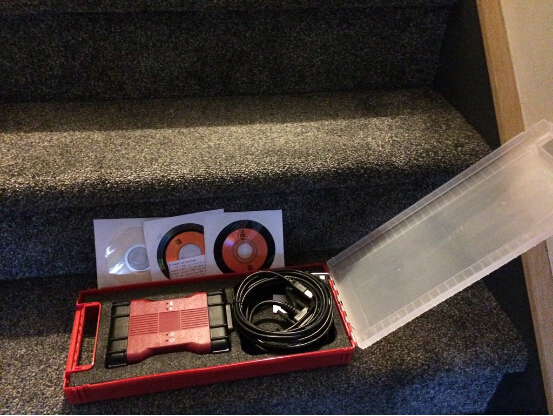
Recently, many complained their confusion to buy a diagnostic tool for Ford or Mazda, for there is a full chip high quality VCM II for nearly 180$ (SP177-C) and there is the new VXDIAG VCX NANO for only about 100$. The price difference is ridiculous and sellers claim they both do the same thing. *similarity: clone vcm 2 & original vxdiag come with the  same software -->  thus the same function & vehicle coverage & language support & O/S requirement *difference: vcm ii - clone vs. vxdiag - original ( different factories--> different brands&firmware--> different price : vxdiag usually cheaper) different drivers *detailed similarities and differences - VCM II vs. VXDIAG NANO Products VCM 2 VXDIAG VCX NANO for  FORD/ MAZDA Diagram Differences Origina or not Clone Original Price  $180.83 $109 Drivers Drivers are installed when software install...

Ford OBD2 Odometer Correct Immobiliser Key Programming Tool tests results

Image
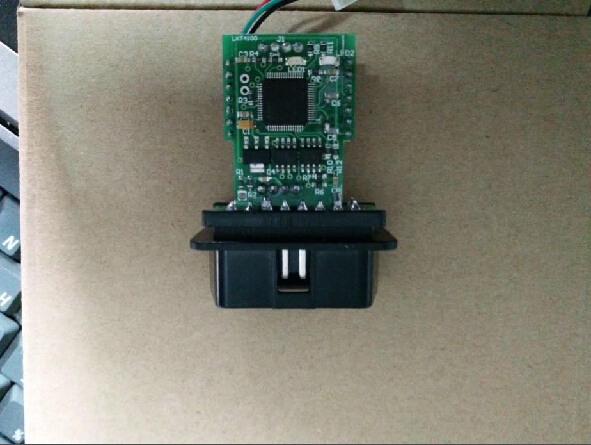
Ford OBD2 Tool is a newly released lightweight and friendly OBD device in obdexpress.co.uk . It can read and write into EEPROM file, it can read out immo code, and directly edit key position byte, then replace the original key to a new key, also it can read out and write into the synchronized bytes of instrument and engine, then directly synchronize without programming. Ford OBD Tool language available: English and Chinese. Tested tool: Ford OBD Tool high-quality printed circuit board Here is the test result about the FORD OBD TOOL . Tested function: Km change; Key program Tested vehicles: Focus 2005…km change ok Focus 2009…key program ok Focus2 Restyle 2008…km change and key program ok Focus3 2011…key program ok C-Max 2008…key program ok C-Max color 2008…key program ok C-Max 2012…key program ok S-Max 2006…km change ok S-Max 2012…key program ok Galaxy 2006…key program ok Galaxy 2007…key program ok Galaxy 2013…km change ok Galaxy 2014…km change ok ...

How to install Ford IDS V98 for WiFi VXM II

Image
Ford VCM 2 IDS V98.01 has been released officially at obd2express . And IDS 98.01 installation is offered here. IDS 98 only for Ford VCM II with wireless card: http://www.obdexpress.co.uk/wholesale/best-ford-vcm-ii-diagnostic-tool-wifi-wireless-version.html (best WIFI vcm ii) http://www.obdexpress.co.uk/wholesale/ford-vcm-ii-diagnostic-tool-wifi-wireless-2.html Operation system: Windows XP / WIN 7 Video instruction on IDS V98 installation: https://mega.nz/#!4tV3hLiC Main steps: Step 1 Install IDS V81 Step 2 Install and run IDS V91 Step 3 Install IDS V98 Step 4 IDS V98 test on Mondeo 2011 MY Step 5 Install Deep Freeze Detailed instruction: Disable network connection Go to Date and Time Properties/Internet Time, to cancel selection of "Automatically synchronize with an Internet time server" Step 1 Install IDS V81 Insert IDS V81 DVD , open RPU DVD. Click " Calibrations ". Click ‘"Next" to in install Calibrations. Click "Nex...

VCM 2 IDS activate "Ghost Screen" on Ford Truck

Image
Below is the customer feedback on "Ghost Screen" activation with Ford VCM 2 : http://www.obdexpress.co.uk/wholesale/best-ford-vcm-ii-diagnostic-tool-wifi-wireless-version.html “Hey, man! Cool findings! Just succeeded to activate the "Ghost Screen" this morning. I used the your VCM 2 with the correct version of IDS. I have v98.01 of IDS loaded on another forum. You can post it in your web to help all. Disclaimer - Not responsible for any damages this change may cause to anybodies truck. No Ghost Screen IDS "talking" with truck via VCM 2 Toolbox selected to get to the Module Programming Programmable Parameters for our trucks Select Personality Parameter to program Change "Forced Regeneration Request" to Enabled. Programming complete and VCM can be disconnected from truck Ghost Screen now appears That’s all.

Ford VCMII IDS Remove Speed Limiter on Ford Transit

Image
This is an instruction on how to remove speed limiter on Ford Transit with China Ford VCMII diagnostic tool. Device used: Ford vcm2 diagnostic tool Instruction: Once VCMII IDS has commmunicated with your Transit Connect, Select toolbox>> module programming, click on the tick button. Selecr Programmable parameters>>speed items, click on the tick button. Select vehicle speed limit>>disable speed limiter, click on the tick button. Is the vehicle equipped with PATS? Select Yes for PATS. IDS erase PCM (ECU). IDS download data to PCM (ECU). Click on the tick button to continue. IDS prompts: Turn ignition off & on for several times. Run PATS service function - click on the tick button to continue. IDS prompts: Turn ignition off & on for several times. Operation complete. Click on the tick button to continue. The process is completed after DTCs have been cleared. Top 2 reasons to get Ford diagnostic tool VCM II: 1. Ford VCM...