Posts

Showing posts with the label Ford VCM2

How to install Ford IDS V98 for WiFi VXM II

Image
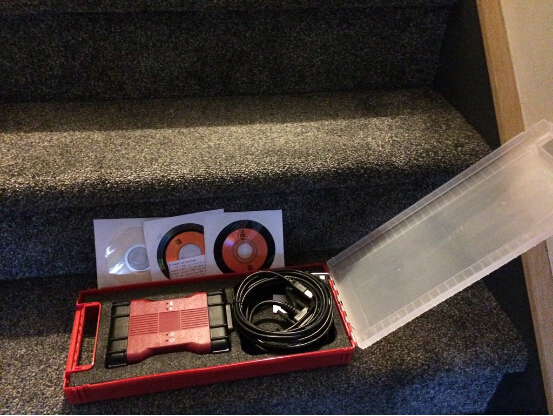
Ford VCM 2 IDS V98.01 has been released officially at obd2express . And IDS 98.01 installation is offered here. IDS 98 only for Ford VCM II with wireless card: http://www.obdexpress.co.uk/wholesale/best-ford-vcm-ii-diagnostic-tool-wifi-wireless-version.html (best WIFI vcm ii) http://www.obdexpress.co.uk/wholesale/ford-vcm-ii-diagnostic-tool-wifi-wireless-2.html Operation system: Windows XP / WIN 7 Video instruction on IDS V98 installation: https://mega.nz/#!4tV3hLiC Main steps: Step 1 Install IDS V81 Step 2 Install and run IDS V91 Step 3 Install IDS V98 Step 4 IDS V98 test on Mondeo 2011 MY Step 5 Install Deep Freeze Detailed instruction: Disable network connection Go to Date and Time Properties/Internet Time, to cancel selection of "Automatically synchronize with an Internet time server" Step 1 Install IDS V81 Insert IDS V81 DVD , open RPU DVD. Click " Calibrations ". Click ‘"Next" to in install Calibrations. Click "Nex...

VCM 2 IDS activate "Ghost Screen" on Ford Truck

Image
Below is the customer feedback on "Ghost Screen" activation with Ford VCM 2 : http://www.obdexpress.co.uk/wholesale/best-ford-vcm-ii-diagnostic-tool-wifi-wireless-version.html “Hey, man! Cool findings! Just succeeded to activate the "Ghost Screen" this morning. I used the your VCM 2 with the correct version of IDS. I have v98.01 of IDS loaded on another forum. You can post it in your web to help all. Disclaimer - Not responsible for any damages this change may cause to anybodies truck. No Ghost Screen IDS "talking" with truck via VCM 2 Toolbox selected to get to the Module Programming Programmable Parameters for our trucks Select Personality Parameter to program Change "Forced Regeneration Request" to Enabled. Programming complete and VCM can be disconnected from truck Ghost Screen now appears That’s all.

Ford VCMII IDS Remove Speed Limiter on Ford Transit

Image
This is an instruction on how to remove speed limiter on Ford Transit with China Ford VCMII diagnostic tool. Device used: Ford vcm2 diagnostic tool Instruction: Once VCMII IDS has commmunicated with your Transit Connect, Select toolbox>> module programming, click on the tick button. Selecr Programmable parameters>>speed items, click on the tick button. Select vehicle speed limit>>disable speed limiter, click on the tick button. Is the vehicle equipped with PATS? Select Yes for PATS. IDS erase PCM (ECU). IDS download data to PCM (ECU). Click on the tick button to continue. IDS prompts: Turn ignition off & on for several times. Run PATS service function - click on the tick button to continue. IDS prompts: Turn ignition off & on for several times. Operation complete. Click on the tick button to continue. The process is completed after DTCs have been cleared. Top 2 reasons to get Ford diagnostic tool VCM II: 1. Ford VCM...

Clone Wireless Ford VCM2 WIFI Setting

Image
Obd2express recently released Ford VCM2 IDS V97 wifi version. And here I will offer some tips of how to do wifi setting on clone VCMII. Computer requirement for wireless VCM2: Works on Windows XP & 7 Only. Wireless ford vcm ii clone wifi functions: Configuring Wifi ford vcm ii oftware: Wireless Vcm ii clone connection: Connection to VCM II should only be handled through the Device Selection Tab Figure. Do not use the PC's internal wireless connection (shown below) to connect to the VCM II Wireless Adapter. Ford vcm ii wireless setting: NOTE: Before configuring Ford VCM II clone wirelessly, the VCM II must be configured with a wired connection. See the Configuring IDS And VCM II for the first time section in the IDS VCM II Quick Start Guide for details. Tips above are mainly for the following types of VCM2 device: SP177-C (+ SP177-S extra pay for wireless adapters), SP177-1 (+SP177-S extra pay for wireless adapters), SP177-C1, SP177-C2 , ...

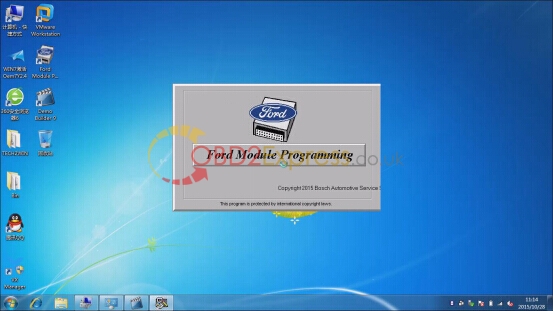
How to reprogram PCM for Ford Focus 2008 with VCM2 IDS

Image
Here is the instruction on Ford Focus 2.8L 2008 PCM reprogramming using Ford VCM II IDS diagnostic system clone. Main procedure: Step 1: Install a new PCM Step 2: Reprogram PCM Step 1: Install a new PCM Install VMware and well setup IDS software follow the video/pdf guide (see attachment below) Run Ford Module Programming Click on car icon Select “Start New Session” Press “Confirm” The SAE J2534 pass-thru device cables must not interfere the safe operation of the vehicle. Secure all cables away from the vehicle pedals. Make connection as shown Turn ignition to ON Apply the parking brake Apply Neutral/Park gear position Establishing communication to PCM Verify vehicle information Press programming icon Select “Module programming” Select “Programmable Module Installation”>> “PCM” Again verify vehicle information and confirm Turn ignition to OFF position (Position 0) Check if the displayed VIN is correct, if yes, hit Yes to continue Follow the ...