GM MDI GDS2 software Days Remaining until Lease Expires 3

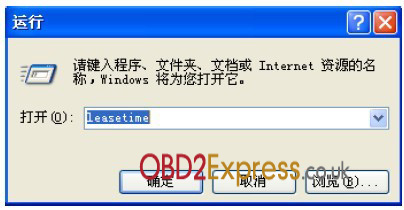
GM MDI WIFI wireless multiple interface is the universal diagnostic tool for newer GM group. Some users reported that they came across GDS2 software expired or will be expired problem. Here is the proper solution provided. Problem: After hooking up WIFI GM MDI interface to diagnose vehicle for a period of time, the GDS2 software prompts a notice: “Days Remaining Until Lease Expires 3”. (Shown picture below) Solution: Follow the GM MDI GDS2 software video or activation document below to activate the GDS2 software. The GDS2 software program will back to normal: Days Remaining until Lease Expires 6. How to install and activate GM MDI software video https://www.youtube.com/watch?v=KRXqZ5sfCho How to activate GM MDI GDS2 software? ⅠChange computer time/date 1) Run “leasetime” in the computer's start menu, if GDS2 is pre-installed 2) Click “Stop ALGM Service”, change data and time in “Date” and “Time” column. Make sure the date and time are correctly set. 3) Check...


.jpg)