Posts

Showing posts with the label OBDSTAR X300M

Obdstar X300M communication failed on some models,how to do ?

Image
Here are some  Obdstar X300M  solutions of unsuccessful odometer correction on some models. Enjoy! Error message may be like that: If you find that some models cannot change mileages, please follow the steps below: 1 Power On X300M unit -> Start -> System Settings -> Data Log -> On -> ESC Return to Main Menu; 2 when matching vehicles in the list, but  X300M  pops up the error message communication failure, please unplug the machine; 3 unplug the TF card, which the root directory LOG folder 4 send folders in the document to  http://www.obdexpress.co.uk/ , engineers there would help analyze the problem Note! Every time you unplug the x300m machine, the data record will automatically be turned off. So, if you want to save the data the next time , you need to follow the above steps to re-open the data record source: http://www.mileageprogrammer.com/obdstar-x300m-fail-on-some-models-to-change-km/

easiest way to change mileage on Cayenne 2008

Image
How to change mileage for Porsche Cayenne 2008? Now ,obd3express.co.uk shares the easiest way to change mileage on Cayenne 2008. Let's go! Tools can use  : OBDSTAR X300M (two functions: Odometer Adjustment+OBDII) OBDSTAR X300 PRO3 ( more functions: Immo+Odometer Adjustment+EEPROM/PIC+OBDII) Here, Obdexpress.co.uk engineers use OBDSTAR X300 PRO3 programmer for mileage adjustment on Cayenne 2008. connect X300 PRO3 to the obd port on the car communication... input the file name to save: 11000000 then X300 PRO3 displays the input value 11000000 X300 PRO3 programmer read the current mileage: 1122008km (error does not exceed 10km) input the new mileage for km change: 12345 X300 PRO3 is adjusting the mileage... milege adjustment complete Cayenne displays the new mileage on the dashboard Done!!! Original: http://www.mileageprogrammer.com/adjust-mileage-for-porsche-cayenne-2008/

OBDSTAR X300M X300 M i get at OBDexpress.co.uk

Image
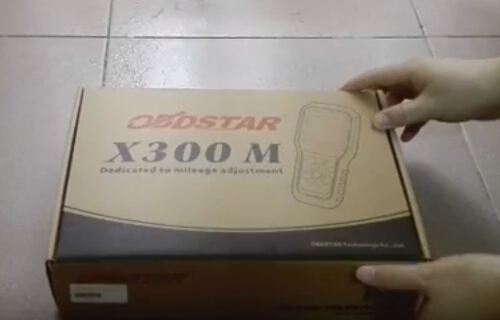
Write something about my purchase of OBDSTAR X300M package from http://www.obdexpress.co.uk/wholesale/obdstar-x300m-odometer-adjust-obdii.html The x300m box Package receipt X300 M user's manual X300 M main unit with SD card - front OBDSTAR X300M - side OBDSTAR X300 M- back OBDSTAR X300M - bottom Main cable OBDII-16 connector SD card reader PS. Sorry for the photos’ resolution. My phone’s camera doesn’t have very high resolution (but the item with high-definition screen) and 6-year-old son helped to take them :D It should be original OBDSTAR product, i think. Have compared that with specifications in OBDSTAR official site. Not found anything difference. And some test i did so far: Skoda Octavia 2010 nec+24c32 VDO mileage OK Audi A4 2007… in 20 seconds by OBD Kia sportage 2013 round dash screen obd success Range Rover Evoque SD4 2013 ok less than 2 seconds Range rover sport 2014 , 10 sec after buckup all ok I have to say ARM high spe...

OBDSTAR X300M Odometer Adjustment tool Feedback What Model Ok

Before you decide to whether get one OBDSTAR X300M Odometer Adjustment tool , you are supposed to check others review / Feedback whether your car model is tested ok. Following parts are about OBDSTAR X300M Odometer Adjustment tool feedback on the tested car models e.g VAG group vehicles, Hyundai,  Kia, Opel, Chevrolet, Range Rover, Kia, Ford,  Fiat and others 1)For VAG group vehicles: Audi A3 is on the list from 2003 - 2006, 2007- up personally I have not tried Audi A3 2008 monocolore OK it can make Audi normal a6 before 2009 Volkswagen Tiguan 2013 TFT color dash nec+24C64 ok Volkswagen caddy 2014 white meter NEC24C64 via obd Volkswagen Caddy 2014 with TFT Color dash via obd Volkswagen Caddy 2014 with TFT Color dash via obd Seat Ibiza 2014 Via obd ok Volkswagen Polo 2014 with NEC24C64 06 a8 OK 2013 golf with black/white screen - OK (with latest update) Golf 6 2012 white color, write 2 sec !! Q5 2013 via obd ok Tiguan 2012 tft color NEC24C64 ok Volkswagen Pol...