Posts

Showing posts with the label BMW ICOM Software

How to program BMW ECU by ICOM A2 WinKFP
Image
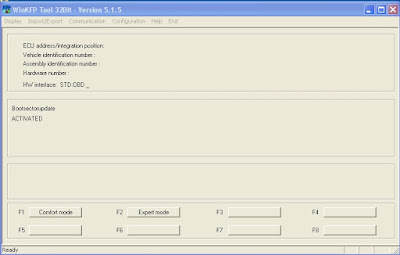
This is an instruction on how to update a BMW module with WinKFP software for  ICOM A2  emulator. 1 Start  WinKFP  and select F3:- Update ZUSB 2 Select ECU type and the ECU will appear along with a list of part numbers. 3 Select ok and the main menu will re-appear 4 Select VIN and enter the cars VIN no. and select OK. 5 Select Done 6 Select Prog. ZB_update, you will be asked to confirm the update, Winkfp wil state the number of times the module can be re-programmed. 7 Sit back and wait. I did my TCU with my cars VIN no. and it took 35 minutes over the OBD port. Original: http://blog.obdexpress.co.uk/2016/09/30/icom-a2-winkfp-program-bmw-ecu-module-tcu/
FAQ about Super iCOM Software for BMW ICOM/ICOM A2

Image
Super iCOM is one of the best after-market software for BMW diagnostic, coding, programming in the world, it is also an up-to-date software for online upgrade directly, software installed based on Windows® 8.1 64Bit OS, fit for most of the laptops/ PC in the market with SATA port. Here is Frequent Asked Question about Super iCom Software Q1: How many years of free updating can we enjoy? Super iCOM provides one year free update online service. Q2: How to upgrade my software via Internet? You need use the Super iCOM Updater by inputting the serial number and password, after login you can choose the new version to download, the software will be updated and installed automatically. User name: Serial number (The one find from Read SN icom on desktop) Password: last 8 digits for password letter. Attention: As software is large, please download the software one by one. Q3: What else shall I do before using this item? Super iCOM software operation is very simple, just ins...

2015.12 ICOM software ISTA-D 3.56 ISTA-P 3.57 Advantages

Image
Here’s the advantage list/ top reasons for BMW ISTA-D 3.56.1.002 ISTA-P 3.57.2.002 for ICOM A, A2, A3 interface . 2015.12 BMW ICOM Software Advantages: 1. The 2015.12 Rheingold HDD has been updated to the newest R2 version , which boasts better efficiency, stability and performance than other R1 version HDDs 2. Support Multi-language : American English, British English, German, Spanish, French, Italian, polish, Portuguese, Turkish, Czech, Swedish, Dutch, Indian, Greek, Russian, Simplified Chinese, Traditional Chinese, Japanese, Korean and Thai. 3. Support almost 95% laptop on the world with Intel chip( I3/I5/I7 series) & Windows xp/ 7/8 OS and have 4GB memory, like Dell d630 . 4. 2015 HDD can works with for BMW for ICOM , ICOM A2 , ICOM A3 emulator . PS. Differences between BMW ICOM A1, A2 and A3 5. Software contain TIS and WDS software (for repair instruction and circuit). 6. No USB Dongle , no need to worry anymore for losting usb dongle will shut down y...

2015.12 BMW ICOM Software HDD ISTA-D 3.56 ISTA-P 3.57

Image
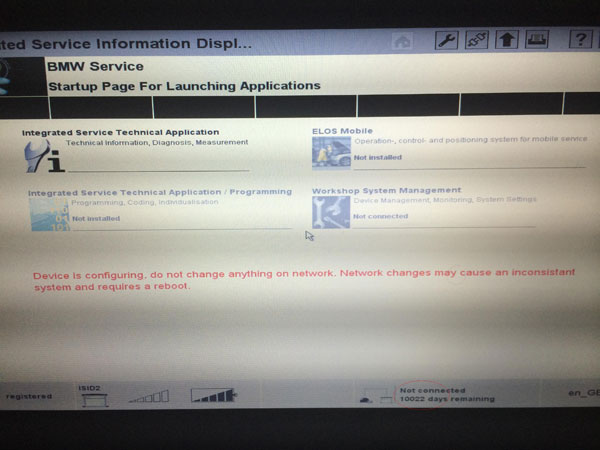
BMW ICOM 2015.12 version has been released, with ISTA-D 3.56.1.002 ISTA-P 3.57.2.002 without USB Dongle for BMW models,you can available in www.obdexpress.co.uk . Software version: ISTA-D:3.56.1002 ISTA-P: 3.57.2.002 VIN: 2015.10.14 Not connected 9000 days remaining System Requirements: Windows 8 Dual-core processor, better above I3; over 4G of memory Support Model: Lenovo ThinkPad: T61, T410, T420, T430, X200, X201, X220 X230 and other laptop with Intel chipset, such as I3/ I5 / I7 series) Language: Support Multi-language in diagnose and programming, also TIS diagram circuit: Chinese, English and German Works together with BMW ICOM , ICOM A2 , ICOM A3 . V2015.12 ICOM HDD Software List and Functions: No. Software Name Software Function 1 ISPI-NEXT Admin Tools   ISPI-NEXT authorization software 2 ISPI Admin Client ISPI-NEXT authorization management and environment Configuration software 3 ISTA-D(Rheingold) Diagnostic and repair guide, inclu...

Perfect hardware Version ICOM for BMW FAQ

Image
ICOM is the best diagnose and programming tool for BMW new and old models. Multi language. Perfect version is more steady, fast software running speed, adds more special functions. Here is some FAQ for Perfect best V2015.10 BMW ICOM A2+B+C Diagnostic Programming Tool part 1: Q: I'm searching a tool which I can use to reset EWS, DME for E/F series, so I can apply used controll units. I already purchased Icom. Problem is the original bmw-software dont support DME, EWS coding on already used control units. That means I searching for a tool which can change VIN on control units. A: Our icom can meet your needs. If your car is before 2015, then choose our 2015.1 icom software to do. our software has the engineer version. It can do the coding function, but the matter is you need to know how to use engineer version do it.this one has the single programming function. It can do coding. For original software, it does not have the single programming function. Original software support...

How to update your BMW ICOM firmware to the newest version

Image
The newest BMW ICOM firmware version has been released, obdexpress.co.uk technician can offer the icom firmware update file and instruction to help you update ICOM A1/ A2 system & application to the latest version fit for newest Rheingold 2015.11 icom software, which is a must to update the ICOM firmware to the latest; otherwise, it would fail to diagnosis or do programming on BMW vehicles. Latest firmware version of icom a1 a2: ICOM-PF-CORE 03.14.03 ICOM Application-01.40.05 ICOM Boot-01.25.02 How to update your BMW ICOM firmware to the newest version? Preparation: 1. ICOM A A2 diagnostic tool (make sure of your ICOM version, common version or super/perfect version) 2. Laptop with Win 7 Win 8 3. Free download ICOM A A2 firmware update files (pls contact sales@obdexpress.co.uk for more details): ICOM-ApplicationImage-01-40-05.bin ICOM-BootImage-01-25-02.bin

How to Run 2015.1 BMW ICOM Software on Win8 OS

Image
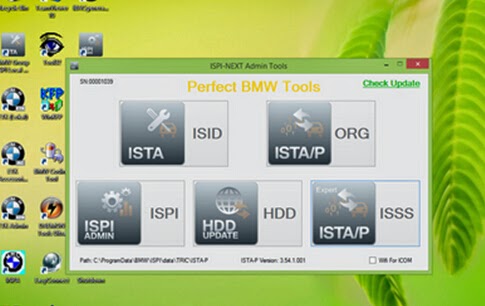
2015.1 BMW ICOM ISTA-D 3.46.30 ISTA-P 3.54.1.001 support engineer programming for ICOM, ICOMA2 and other compatible devices. This engineer programming software has English, Russian and German version, meanwhile it is compatible to run on PC / Laptop with Win8 OS. The following writeup is about how to run this 2015.1 BMW ICOM software on Win8, please check carefully. 1. First to insert D-Link; 2. Boot up PC / Laptop; 3. Double click "ISPI-NEXT Admin Tools" shortcuts, wait for about 20 seconds to activate the software; 4. Select Wifi for ICOM (Only click once); 5. At this time, use mobile phone to search Wifi, if D-Link activates, it will show you the Wifi name "ISAP"; 6. Connect ICOM with vehicle; 7. When ICOM System Light cease to flash and WLAN Light keep on after flash for a few seconds, which means a full connection between ICOM and PC / Laptop. http://bmwicomseries.webs.com/

Change BMW E90 VO vehicle order with ICOM NCS-expert

Image
BMW owners are able to enable or disable car retrofits or features by changing the VO (vehicle number) or FA string. The coding option can be done with BMW coding tools BMW ICOM ISTA/P engineering and programming software NCSExpert. Tool needed: BMW ICOM a2+b+c diagnostic system BMW ICOM ISTA/P ISTA/D software HDD with engeering software NCS-expert Instruction: Code CAS: Well install BMW ICOM software HDD and NCS Expert software Connect BMW ICOM A2+B+C OBD2 diagnostic tool with vehicle via USB or wifi wireless connection Open NCS-expert file Select File>>Load File>>Expert Mode, press OK Press F1: VIN/ZCS/FA button Press F3: ZCS/FA f. ECU button Select BMW CHASSIS type:E89 in the list, press OK Select ECU type: CAS, press OK Then the NCS Expert software screen will display Chassis module, VIN number and VO/FA information Press F2: Enter FA to change the vehicle order Again select chassis type: E89 Confirm the VIN number list is correct Enter...

Super ICOM Newest V2015.05 Update Online

Image
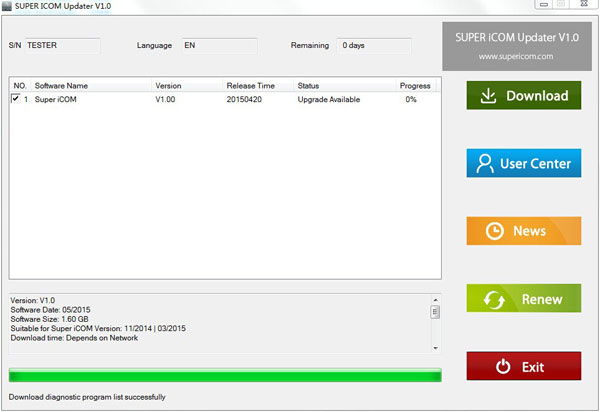
Super ICOM Software for BMW ICOM and ICOM A2 is now available to the newest V2015.05 via update online (Official website: www.supericom.com ). Software installed based on Windows® 8.1 64-Bit OS, fitting most of the laptops or PC in the market with SATA port. You are recommended to directly download Super ICOM Updater V1.0 updater tool for Super ICOM V2015.05 software online update. Note: User Name is the Serial Number; Password derives from the last 8 numbers of password envelop;

BMW ISPI Next - ISTA-D 3.47.10 + ISTA-P 3.54.3 with Expert Mode + KSD 12.2014

Image
2014.12 ICOM ISTA-D 3.46.30 ISTA-P 54.2.002 Software HDD for BMW   BMW ISPI Next - ISTA-D 3.47.10 + ISTA-P 3.54.3 with Expert Mode + KSD 12.2014 System requirements Operating system Windows XP (32-bit or 64-bit) Windows 7 (32-bit or 64-bit) Windows 8 (32-bit or 64-bit) Windows 8.1 (32-bit or 64-bit) Windows 10 (32-bit or 64-bit) Hardware requirements Processor (CPU): Intel Pentium 3.5 GHz, Core Duo 1.8 GHz or better Memory (RAM): 3 GB or more Hard drive (HDD): 150 GB free space on disk C: Interface requirements BMW ISTA-D Rheingold: ICOM A1 or A2, OPPS, OPS, GT1, ENET cable, K-Dcan cable, K-Line cable BMW ISTA-P: ICOM A1 or A2, OPPS, OPS Package includes BMW ISTA-D 3.47.10 Standalone installation with license (no virtual machine needed) BMW ISTA-P 3.54.3.002 Standalone installation with license (no virtual machine needed) + Expert Mode BMW ISPI Admin client application BMW HDD-Update Utility BMW Air Client BMW KSD2 12.2014 BMW Key Reader BMW ICOM firmware update to lastest vers...

Difference of our BMW icom software and others

Image
Now our website has released different version BMW ICOM software and HDD. For software, the version from the old 2012.5 to 2012.10. Different version has different function and price. Now i will give you some instruction for our BMW ICOM software. Here is the link of our BMW ICOM software: http://www.obdexpress.co.uk/search/?q=bmw+icom What is the difference of our BMW icom software and others? Here is the description and photo: 1) Our software version is V3.0. For real 3.0 version, there is this icon . Our software fuses the functions of diagnose and program. It is the internal version of German BMW engineer. 2) Our BMW ICOM software has "System Serial Number". And the System Serial Number usually is ten number. While the adapted version does not have System Serial Number. 3) The version of our ISTA-VIN-000 is 11.05.18, while the adapted version is 11.05.16. The adapted version can not used to diagnose the new car models.          T...

How do the BMW ICOM BMW ISIS ISID A+B+C Get the job done

Image
BMW ICOM is definitely the finest expert BMW diagnostic. BMW ICOM is made up of 3 parts: ICOM A, ICOM B, ICOM C. BMW ICOM A B C provide the entire process substitute DIS GT1/SSS/OPS and OPPS. What functions BMW ICOM A B C guidance? 1) Diagnose 2) Method 3) Coding There are 3 versions BMW ICOM A B C on our site; below I will introduce them for you. 1) Merchandise quantity SP110: This BMW ICOM A B C have the hardware and software: ISTA/D (ISID 2.thirty) ISTA/P (ISSS 2.46). Software package edition is 2011.09. You may right put in the software program in your laptop or computer and make use of it. This a single does not have any necessity for laptop manufacturers. Just meeting the need of your components for the personal computer is Okay. The length of network cable for this just one is 8m, and that means you will not have to concern yourself with the length. The computer software of this just one is exterior. 2) Merchandise selection SP101: This BMW ICOM A B C do not h...