Posts

Showing posts with the label BMW scanner

Perfect hardware Version ICOM for BMW FAQ
Image
ICOM is the best diagnose and programming tool for BMW new and old models. Multi language. Perfect version is more steady, fast software running speed, adds more special functions. Here is some FAQ for Perfect best V2015.10 BMW ICOM A2+B+C Diagnostic Programming Tool part 1: Q: I'm searching a tool which I can use to reset EWS, DME for E/F series, so I can apply used controll units. I already purchased Icom. Problem is the original bmw-software dont support DME, EWS coding on already used control units. That means I searching for a tool which can change VIN on control units. A: Our icom can meet your needs. If your car is before 2015, then choose our 2015.1 icom software to do. our software has the engineer version. It can do the coding function, but the matter is you need to know how to use engineer version do it.this one has the single programming function. It can do coding. For original software, it does not have the single programming function. Original software support...

2015.10V BMW ICOM ISTA-D ISTA-P HDD/SSD No Dongle Win 8

Image
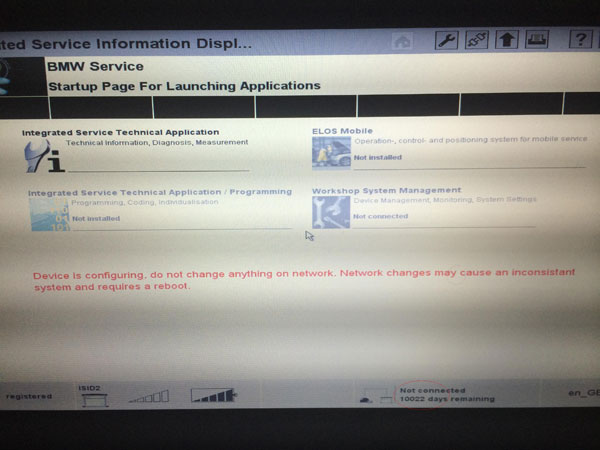
BMW ICOM Rheingold ISTA-D ISTA-P diagnostic & programming software is newly released to 2015.10V without USB dongle and can be worked on Win 8 operating system. Software version: ISTA-D:3.51.31 ISTA-P: 3.56.5.002 VIN: 2015.10.7 Top Feature: 1. Software compatible with ICOM, ICOM A2 and ICOM A3 2. Without USB dongle no need afraid for lost. 3.  Support Multi-language in diagnose and programming, also TIS diagram circuit:  Chinese, English and German Capacity: SS151-A10 SSD (Solid State Drive) 256GB SS151-10 HDD (Hard Drive) 500GB Software including & Functions System Requirements: Make sure your laptop has Dual-core processor, better above IE3, and the RAM should be 4G or above, to ensure the software run smoothly, if your laptop can not reach this configuration, the software will be not able to run. Support Model:  It is recommended to use Lenovo ThinkPad: T61, T410, T420, T430, X200, X201, X220 X230 and other laptop with Intel chipset, su...

Update BWM E38 OBD II port to D-bus diagnostic port

Image
Old BMW E38 and E46 have 20 PIN underhood connector rather than standard OBD II 16 Pin diagnostic socket. In contrast, the OBD II port allows you to keep the hood down, drive the car and sit in the driver or passenger seat to use your diagnostic tools ( BMW ICOM , INPA , BMW Scanner v1.4.0 etc). With the hood down you also keep the air intake flaps open for the climate control. Only problem is the ODBII only allows access to a limited number of control modules and if you're using DIS on a GT1 machine with a DK (yellow Diagnostic Head), the Auto ID will not work correctly as there is no switched power (Terminal 15) on the OBDII socket. You can either hook up a 20-pin to-16-pin diagnostic connector underhood or modified your diagnostic port to D-bus. Modification is certainly at risk. But I tried and it worked. You are on your own risk. BMW upgraded the OBDII diagnostic socket in 2001 to allow access to all control modules for all sales models except the E38 7-Series and t...